Emergency Policies is a purpose-built platform for fire, EMS, and emergency service agencies that need more than a shared drive of documents. Unlike binders, email attachments, and generic file storage that leave revisions scattered and acknowledgments untracked, Emergency Policies puts your full policy library, training assignments, scheduling, inspections, and field tools in one place—reachable from any phone or computer. Leadership can update a policy in seconds, see exactly who has acknowledged it, assign training, manage shifts, complete inspections, and keep the whole department aligned. Pair the mobile app with the online portal for cloud-synced access wherever you work: on the apparatus, at the station, or at a desk.
How our policy tracking works
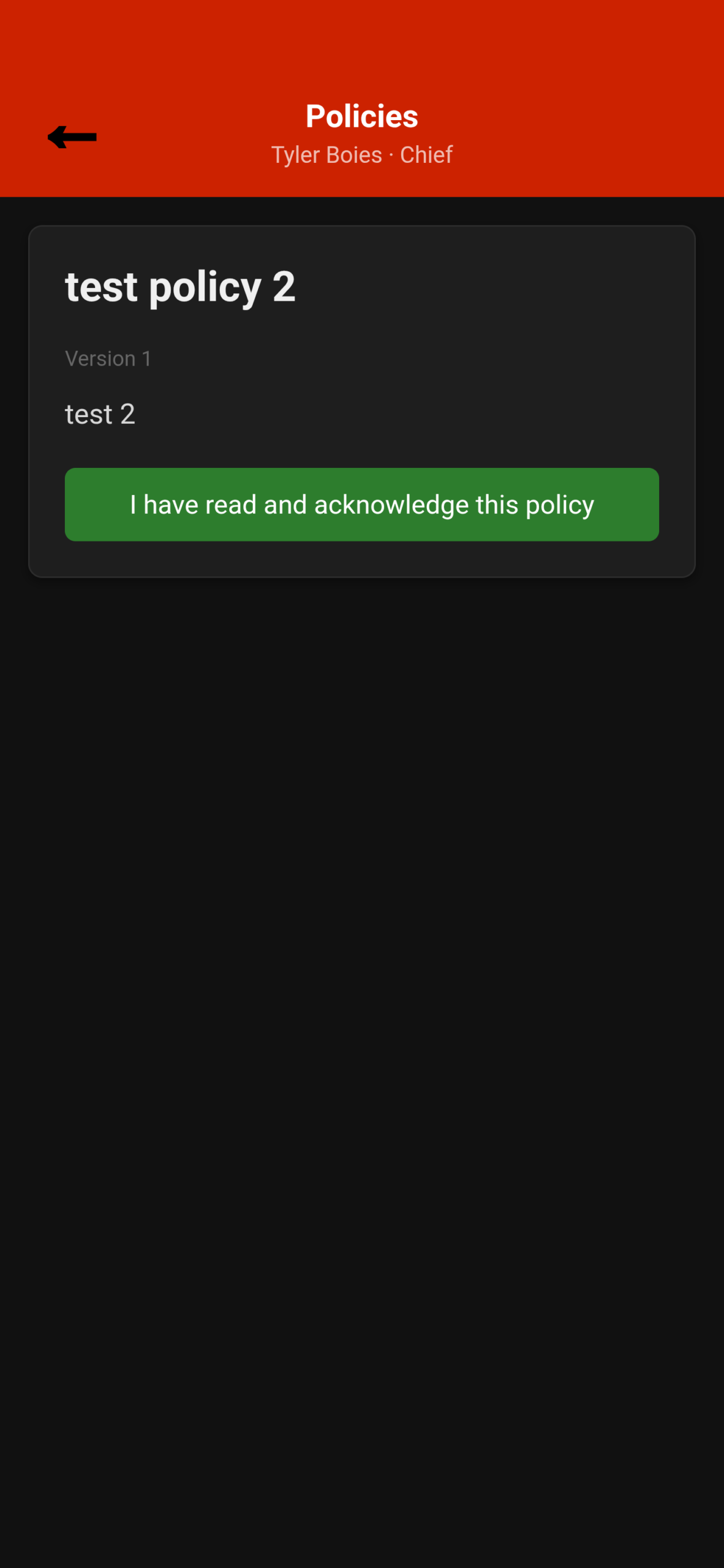
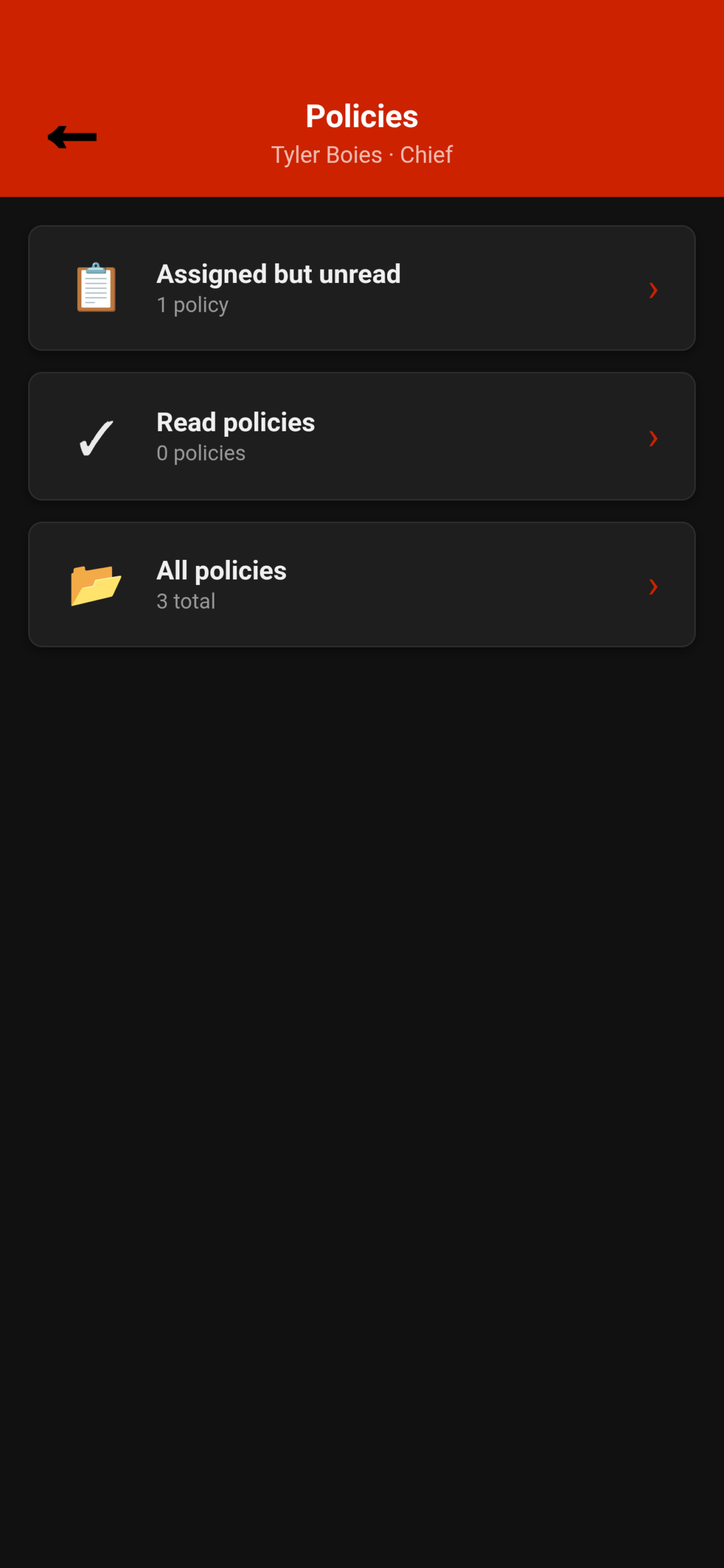
At the core of Emergency Policies is policy distribution with real accountability. Admins create and edit department policies (add text and/or attach files), assign them to personnel, and publish new versions when content changes. Members open My Policies on the app or portal, read each document, and tap to acknowledge—creating a timestamped record tied to that specific version. Unread assigned policies stay clearly marked until complete, so nobody has to wonder who still needs to review the latest SOP. When a shared template your department uses is revised, the portal can surface an update notice so leadership can adopt the new version without losing history. Version tracking, superseding older releases, and acknowledgment grids give you an audit trail when it matters most. Data syncs to the cloud so the same library and status appear on phone and web. Members can read and acknowledge on the go via the app or web portal; admins get the full create/edit, assignment, and compliance overview experience on both the app and the web portal as well.
Training, skill evaluations, and compliance
Training is built for how departments actually run drill night and ongoing personnel development. Admins manage drill night and personnel training assignments, attach content, and track completion across the roster. Skill evaluations use task sheets: candidates can present a QR code, and evaluators scan it in-app to score them on the spot. Separate tracks for drill-night and personnel evaluations keep training records organized. A compliance view shows completed training by company and member so officers can see status at a glance. Custom capabilities (for example, pump certification or evaluator roles) can be defined by the chief and tied to required trainings and task sheets, so qualification status is visible department-wide on the capabilities board. Duty status (active, light duty, reserve, leave) can be maintained for officers and admins who need it. Training and evaluation workflows live in the mobile app for field use and in the portal for desk-side management.
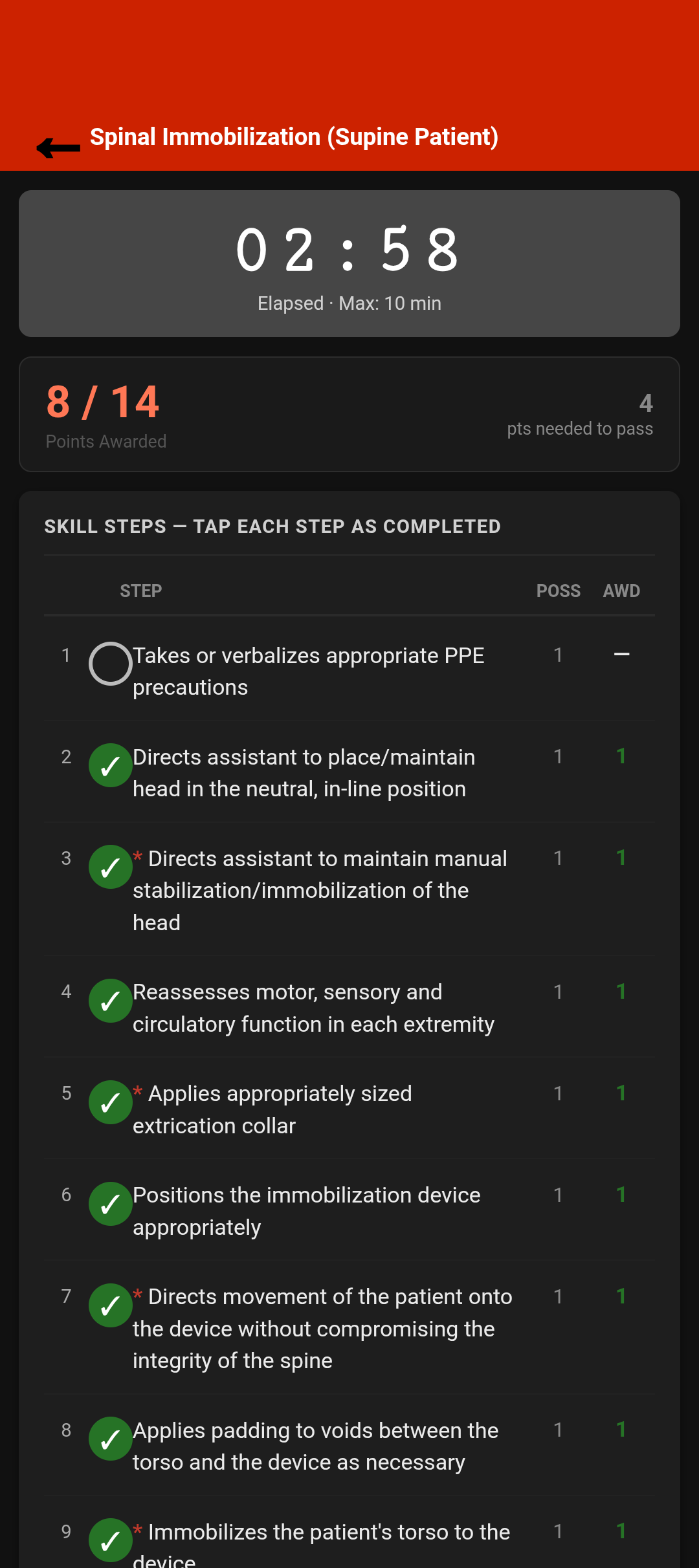
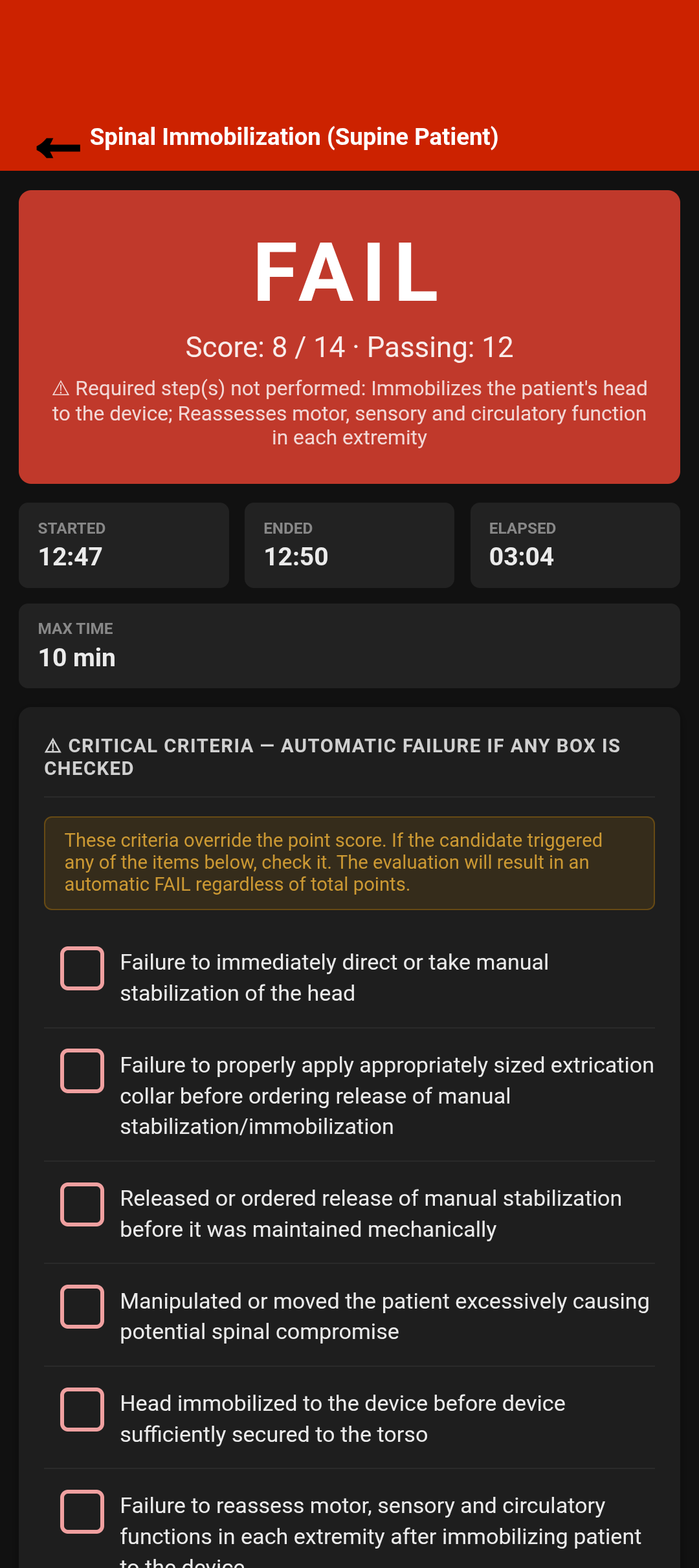
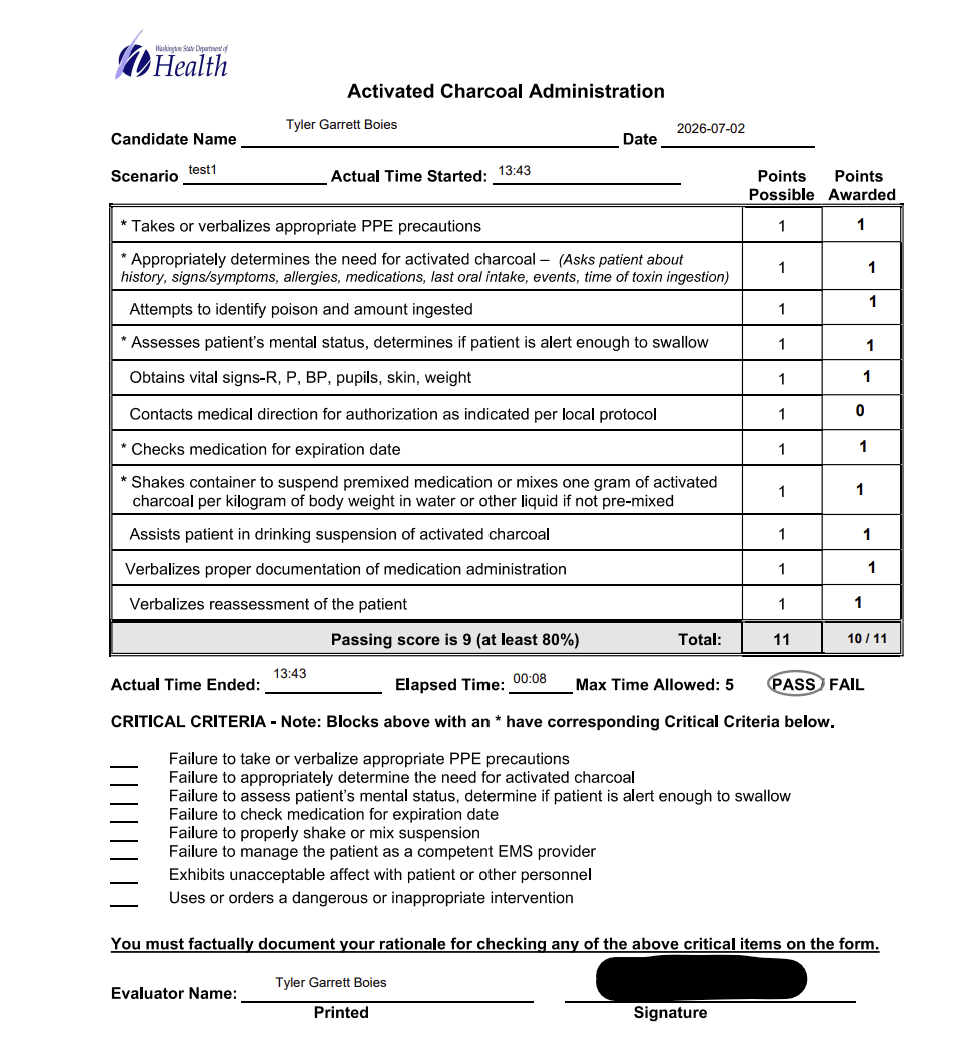
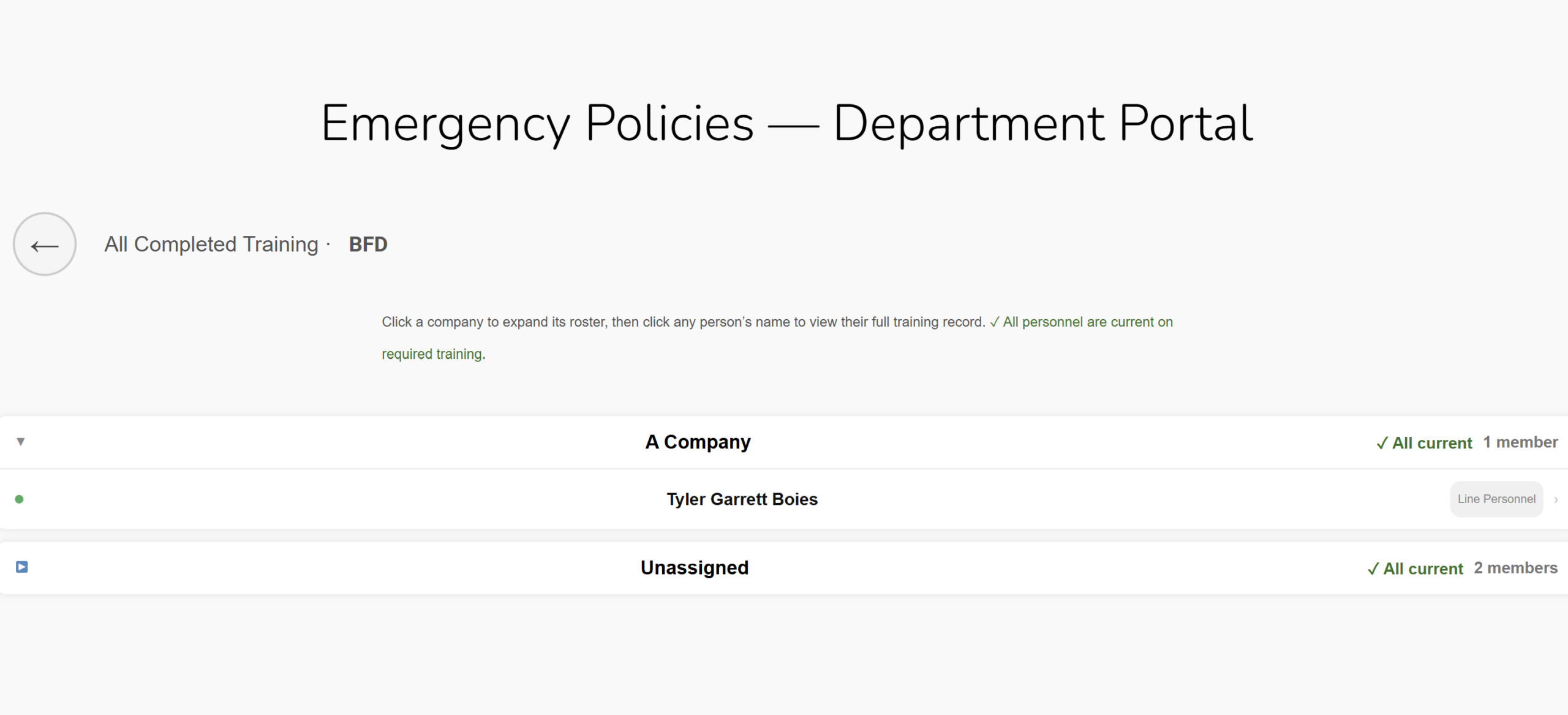
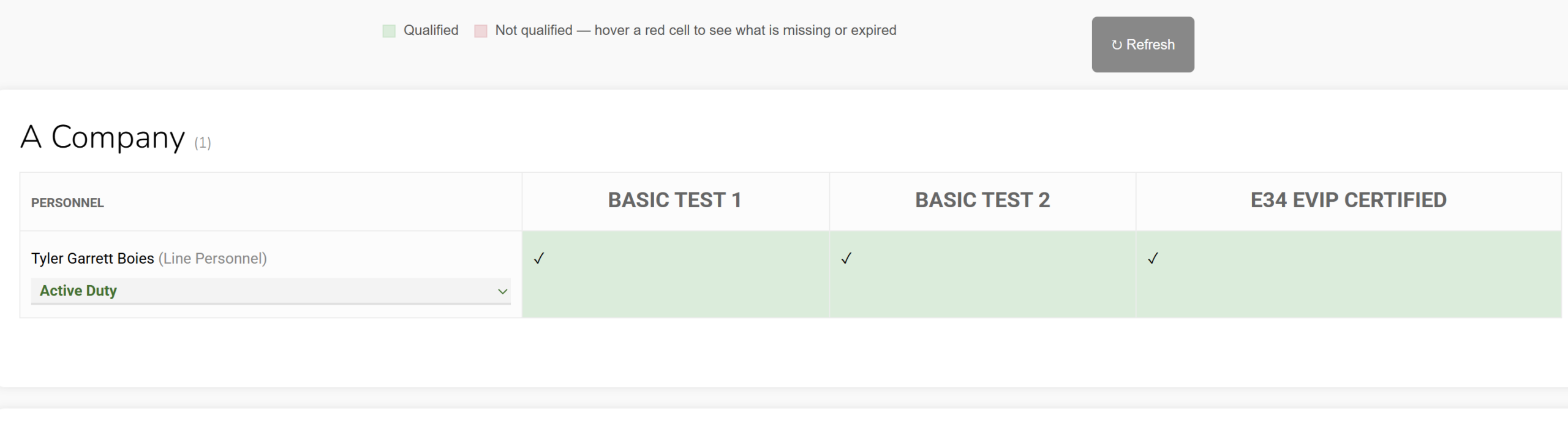
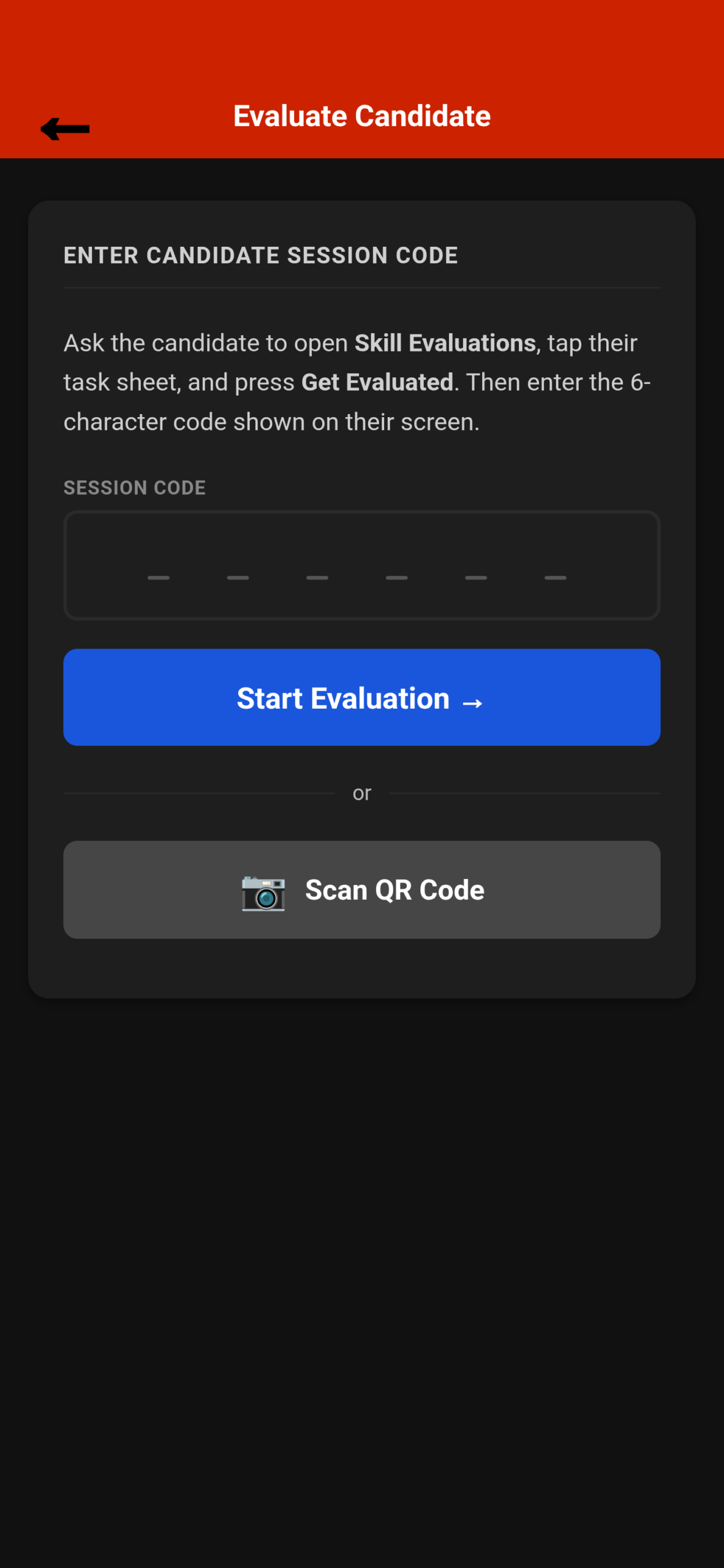
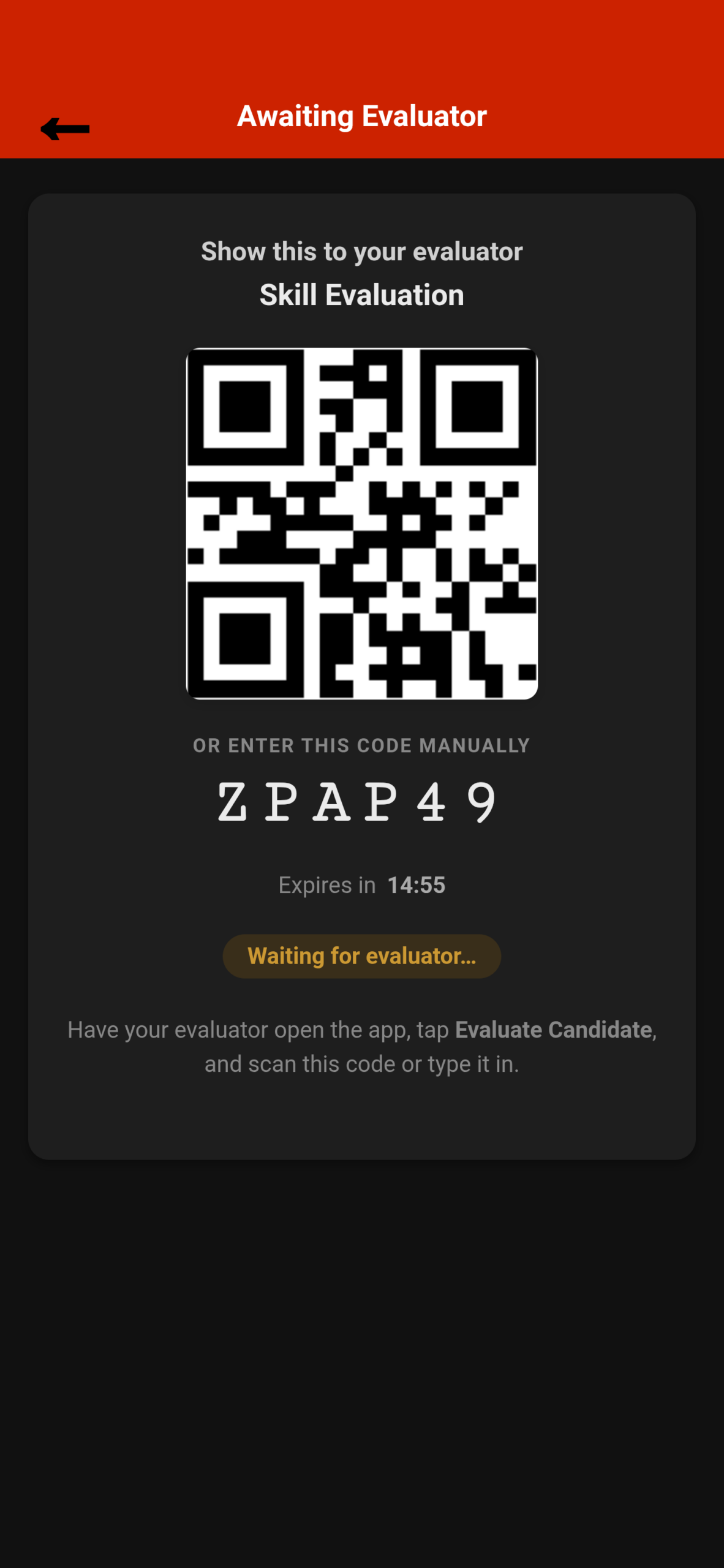
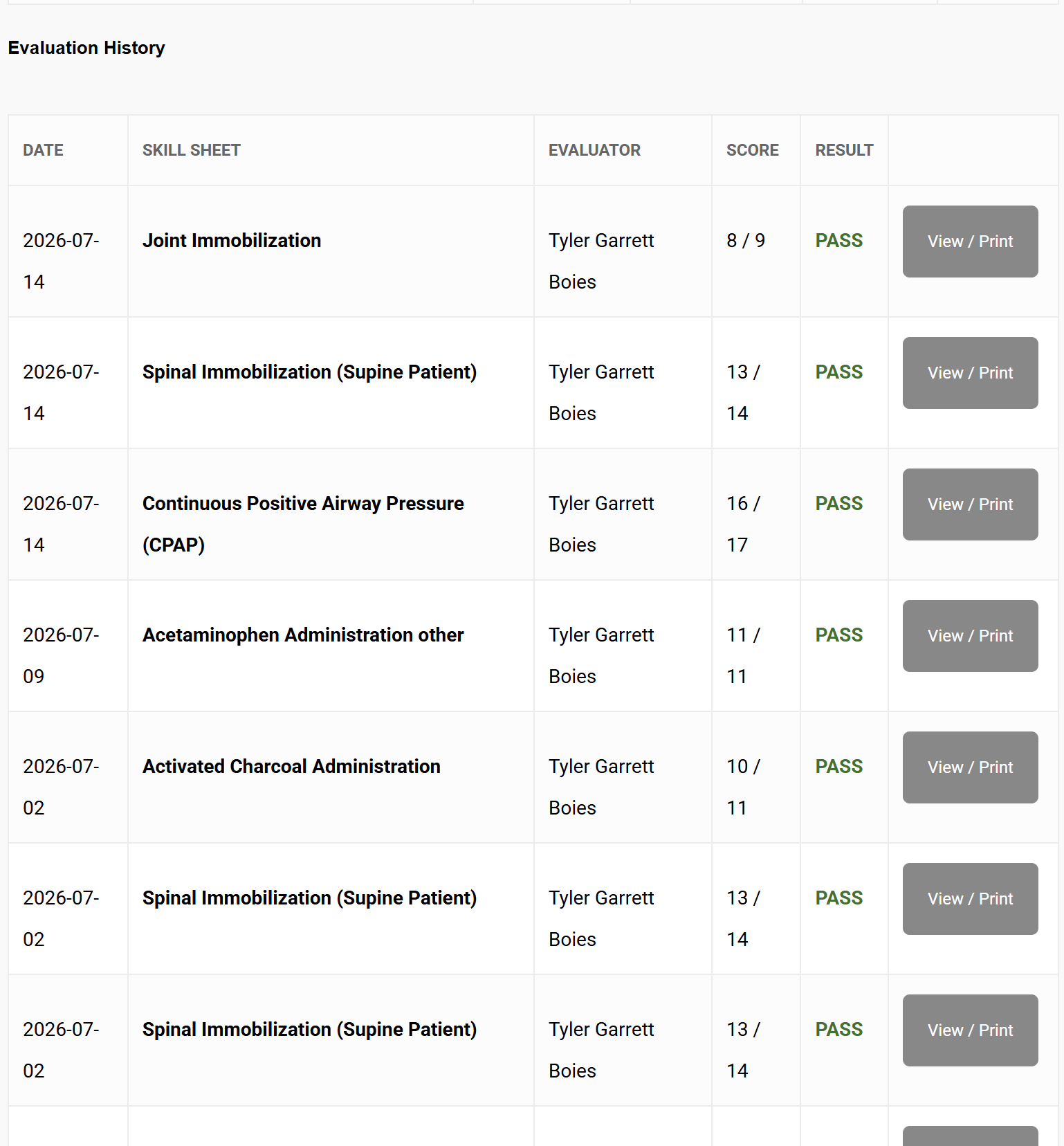
Simply scan a QR code to be evaluated by an evaluator with auto filling information, or manually input information every time for seem less cross agency coordination. Additionally, easy access and keeping of training records that can be accessed by ones self, or by officers to manage compliance.
Scheduling, time, and attendance
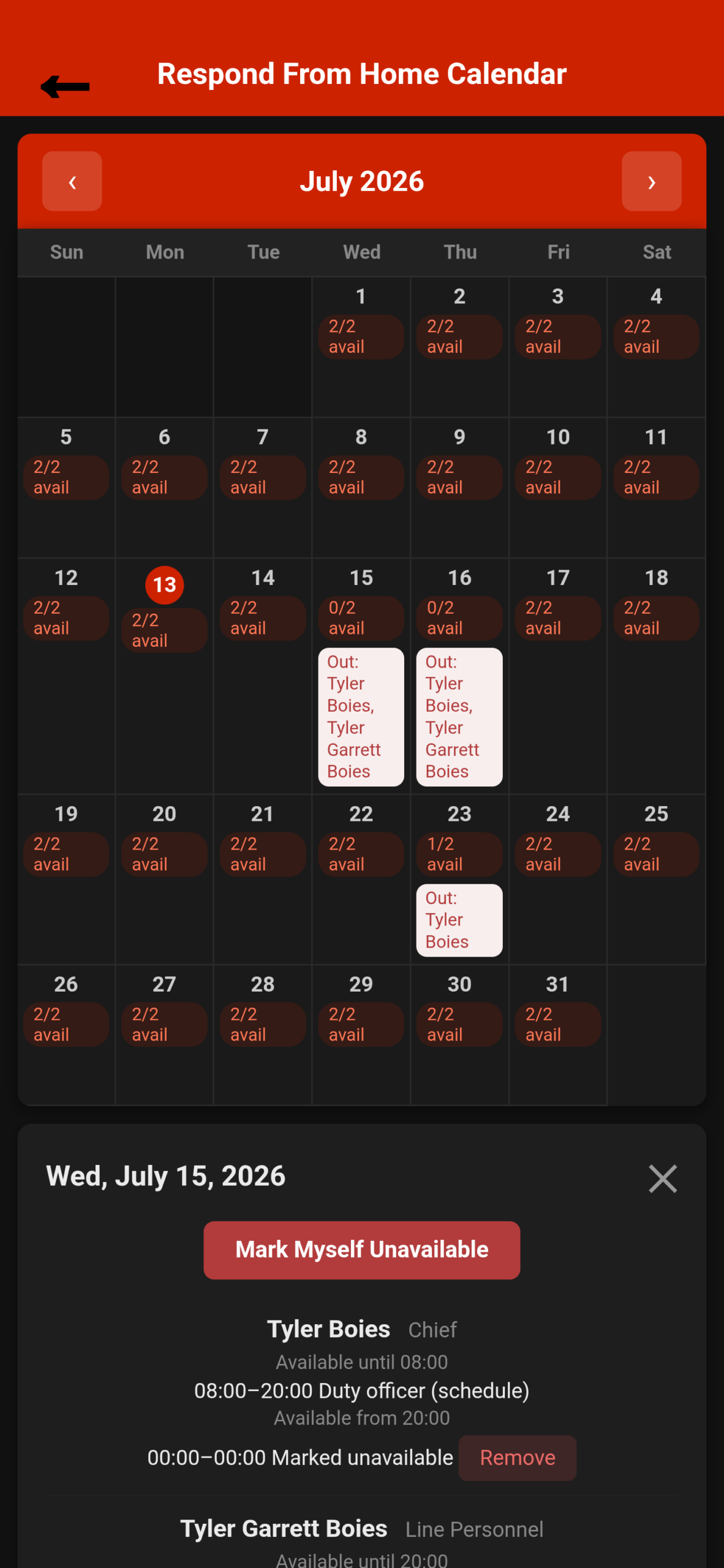
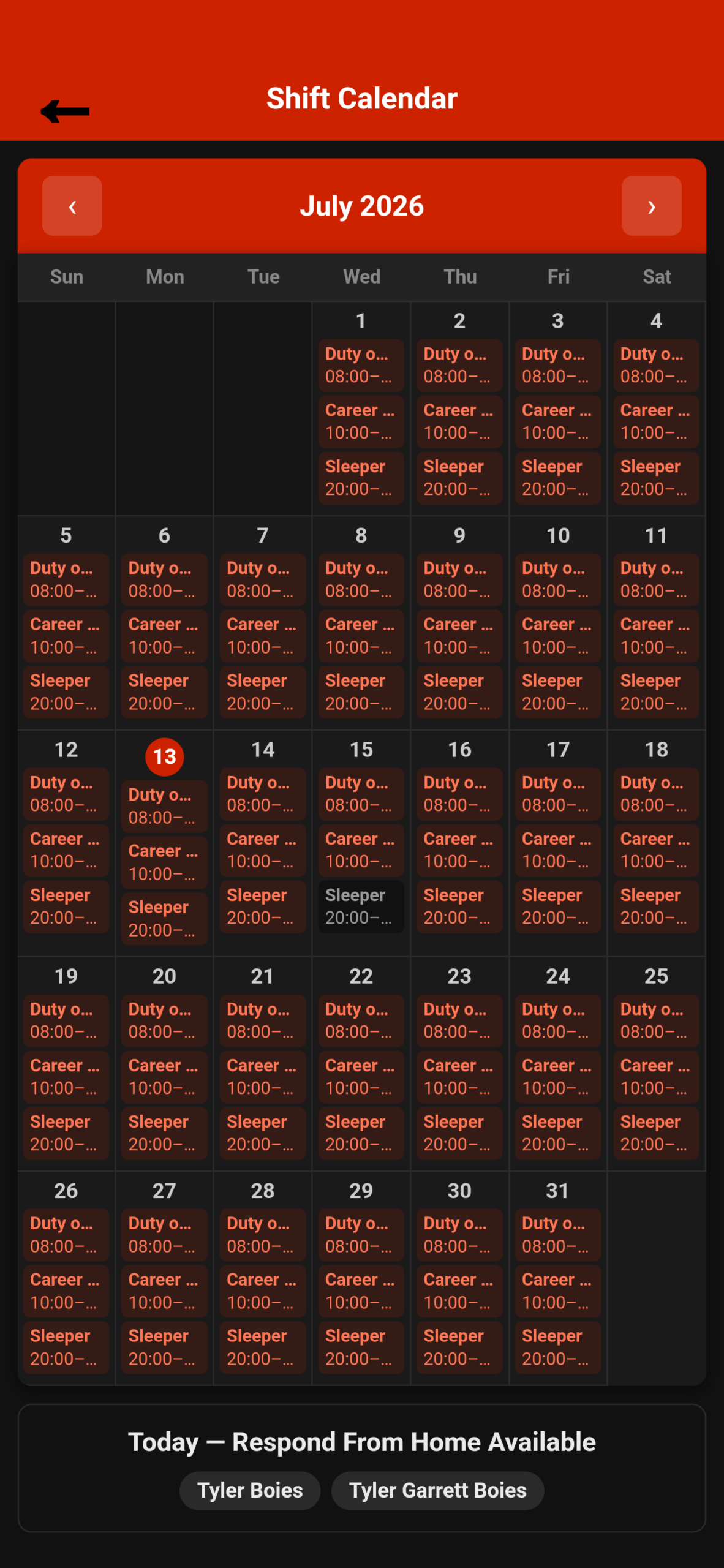
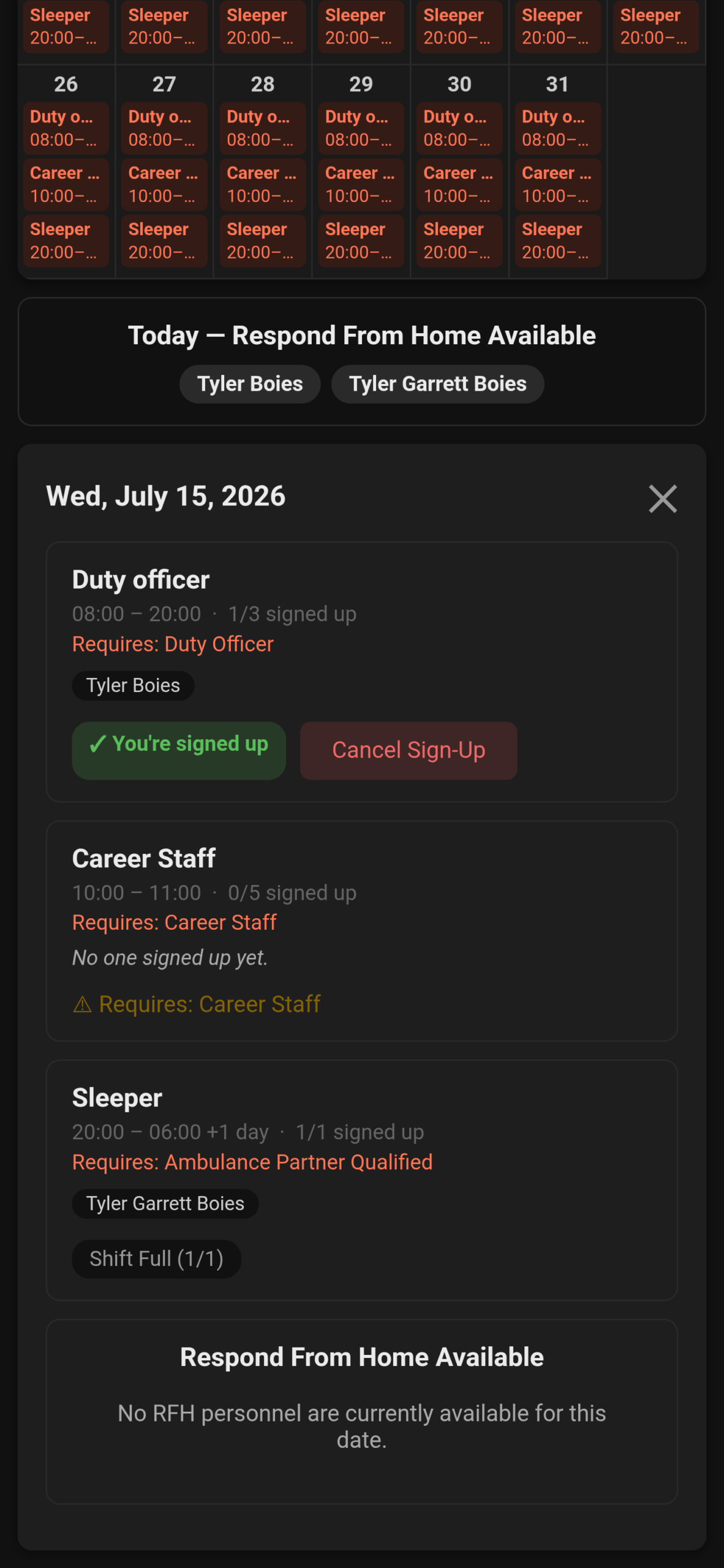
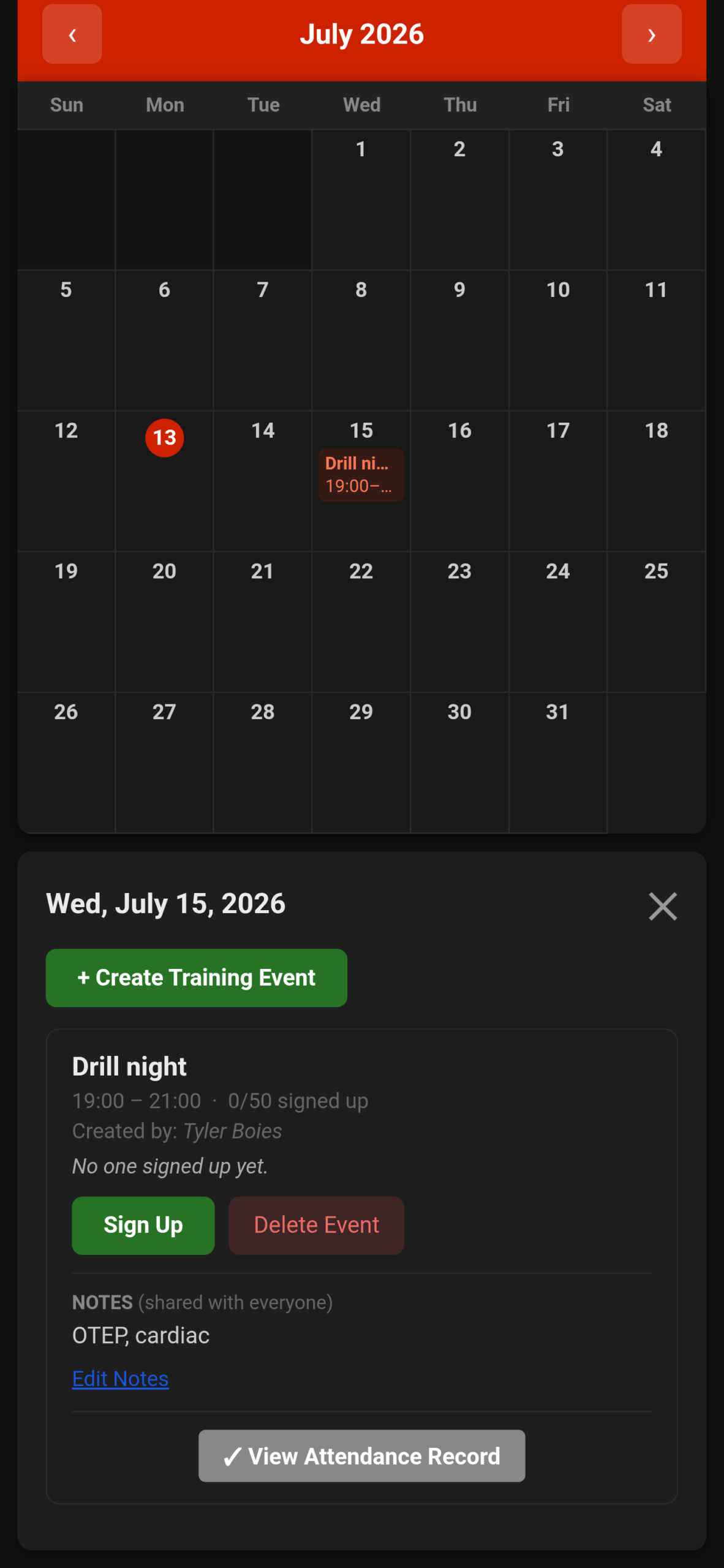
Scheduling and Time replaces scattered group chats and paper sign-up sheets. Members view upcoming shifts, browse calendars for shifts, training events, respond-from-home availability, and facility use, and sign up where allowed. Timetracker records shift start and end times; the hours tracker summarizes hours by period. Event attendance uses QR codes—officers can display an event QR, and members scan to mark attendance. Admins create and manage shift events; chiefs configure shift types, hours, and requirements. Respond-from-home supports availability and unavailability workflows so coverage stays clear. The same scheduling tools are available in the app and the online portal so people can plan from a phone or a browser.
Field tools for the call and the apparatus
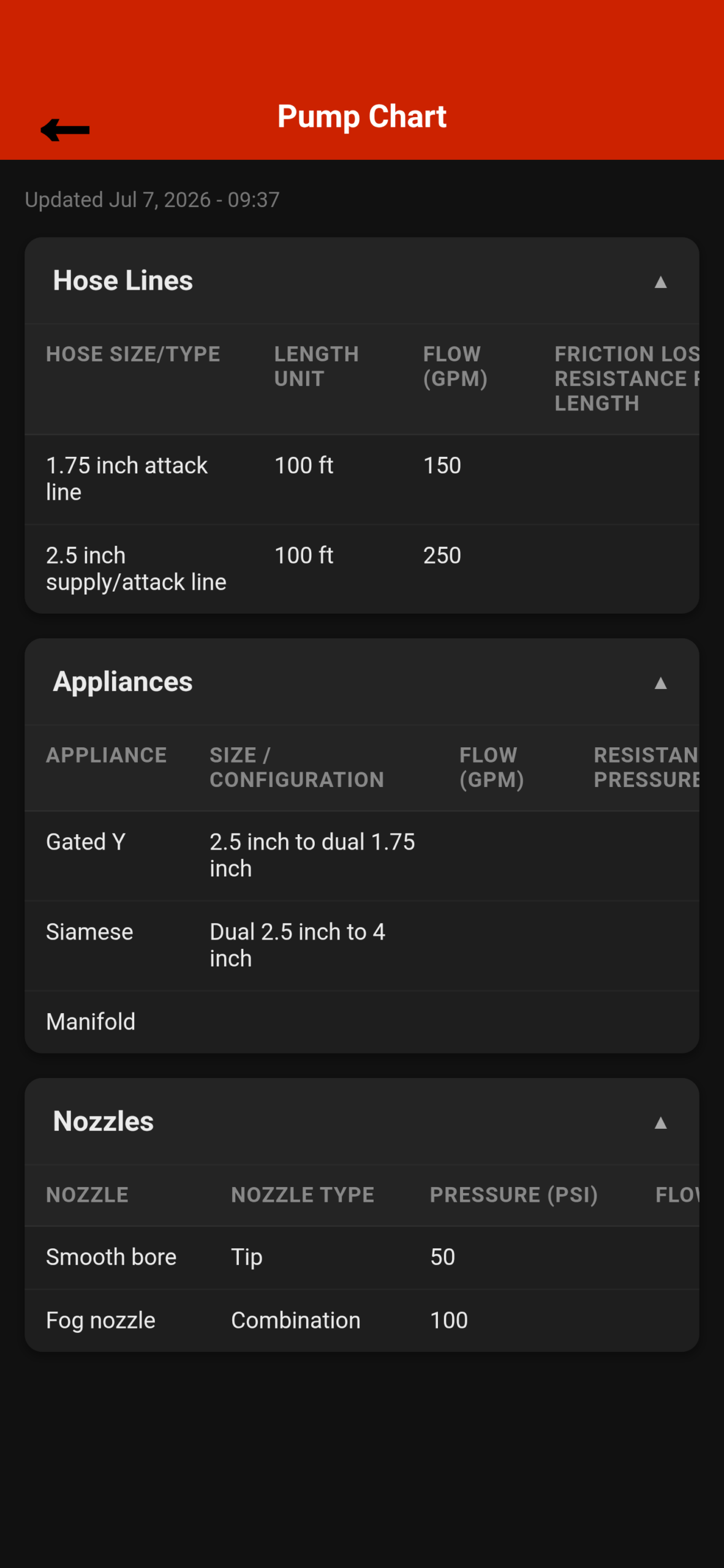
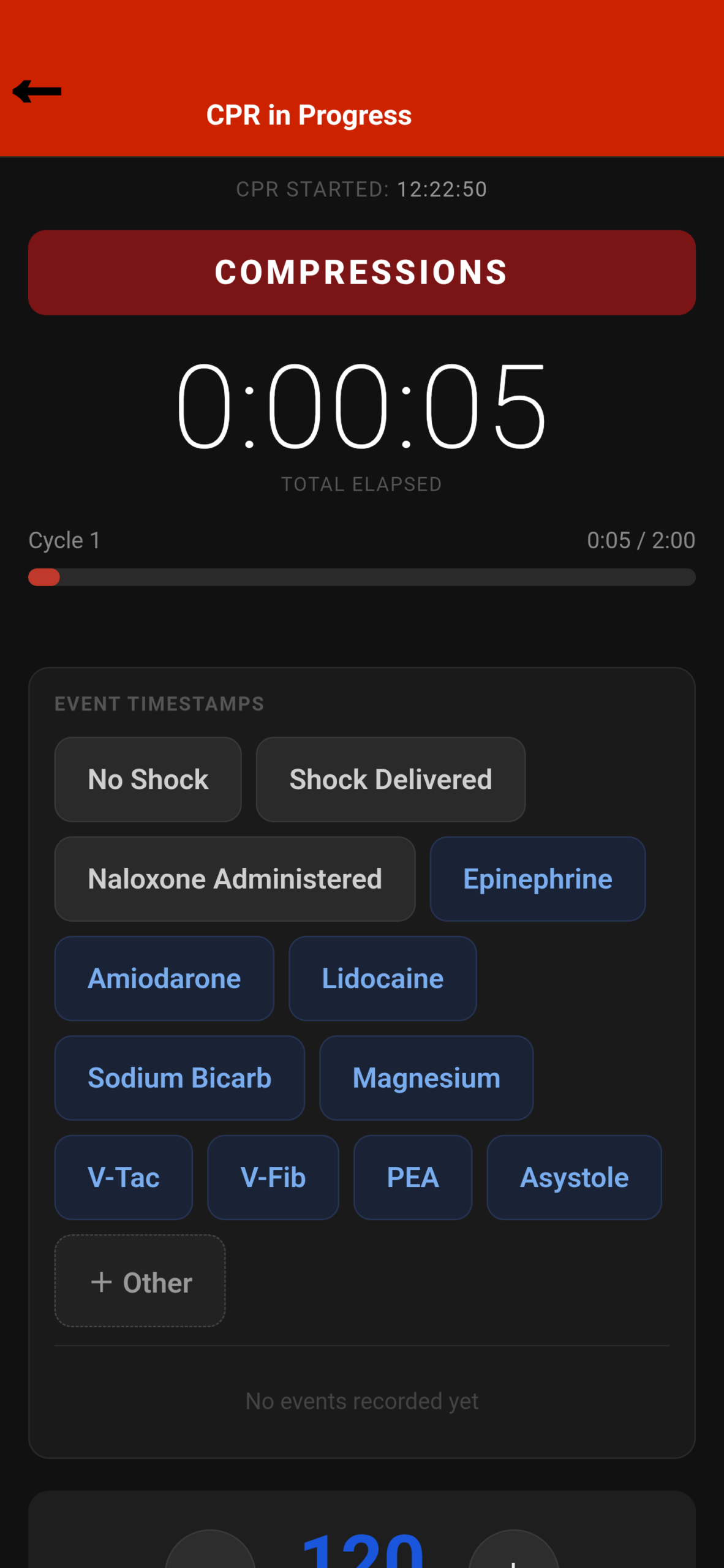
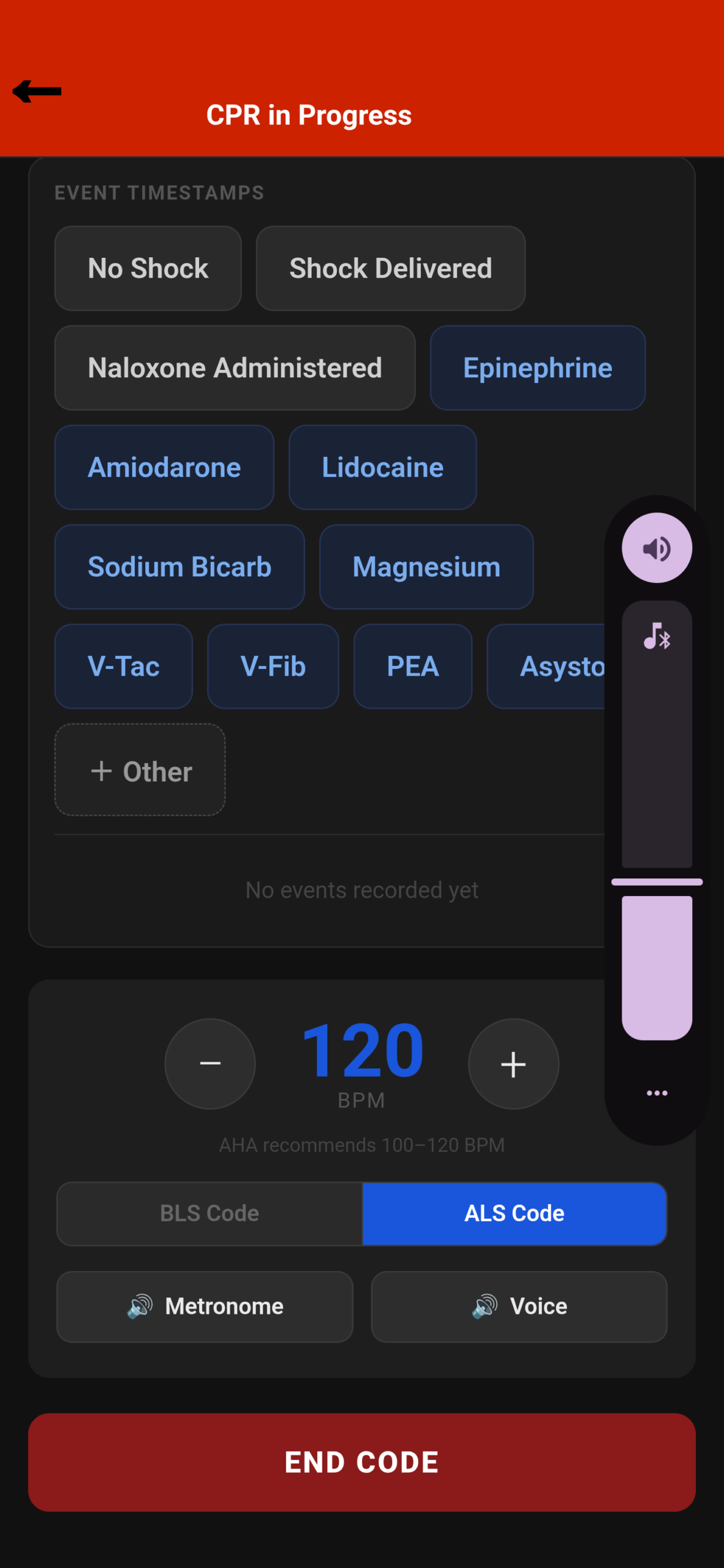
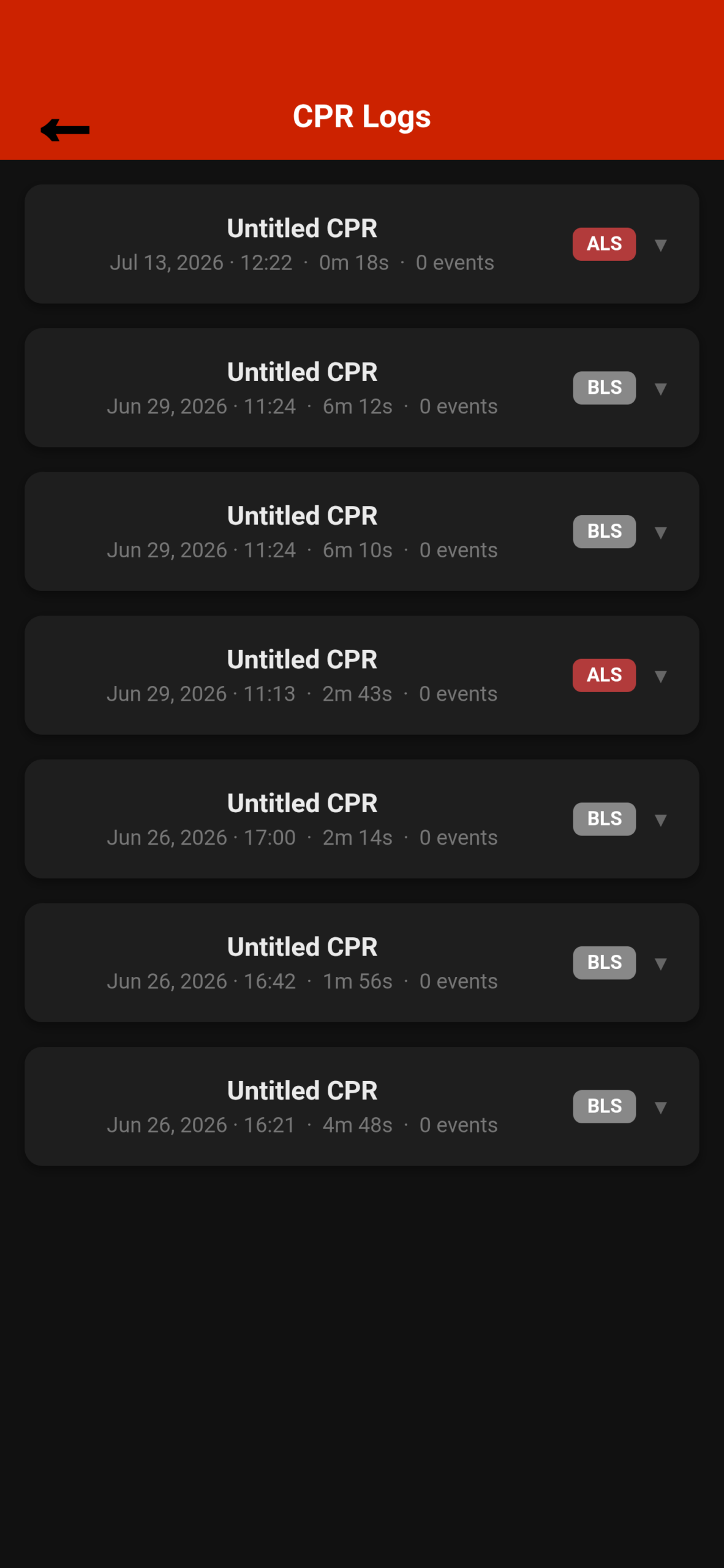
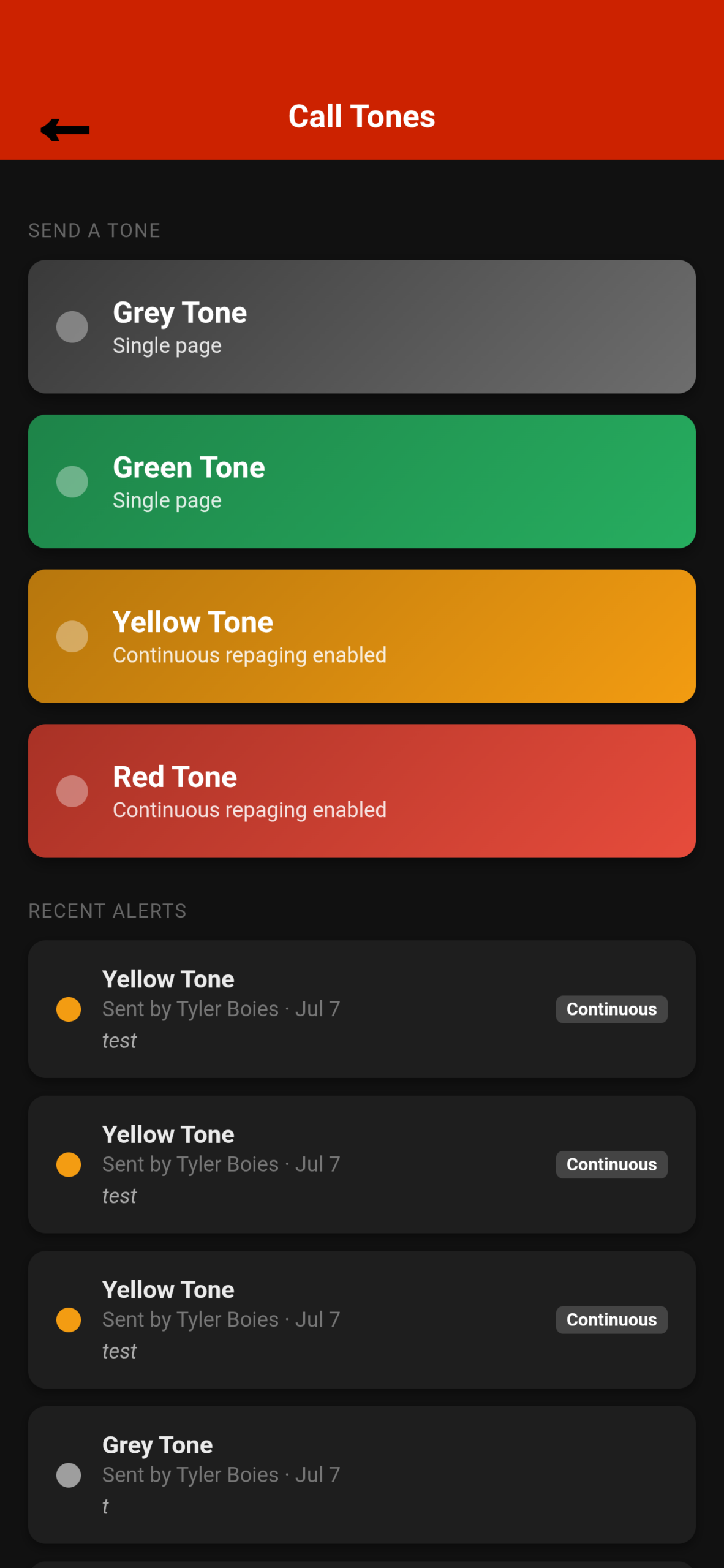
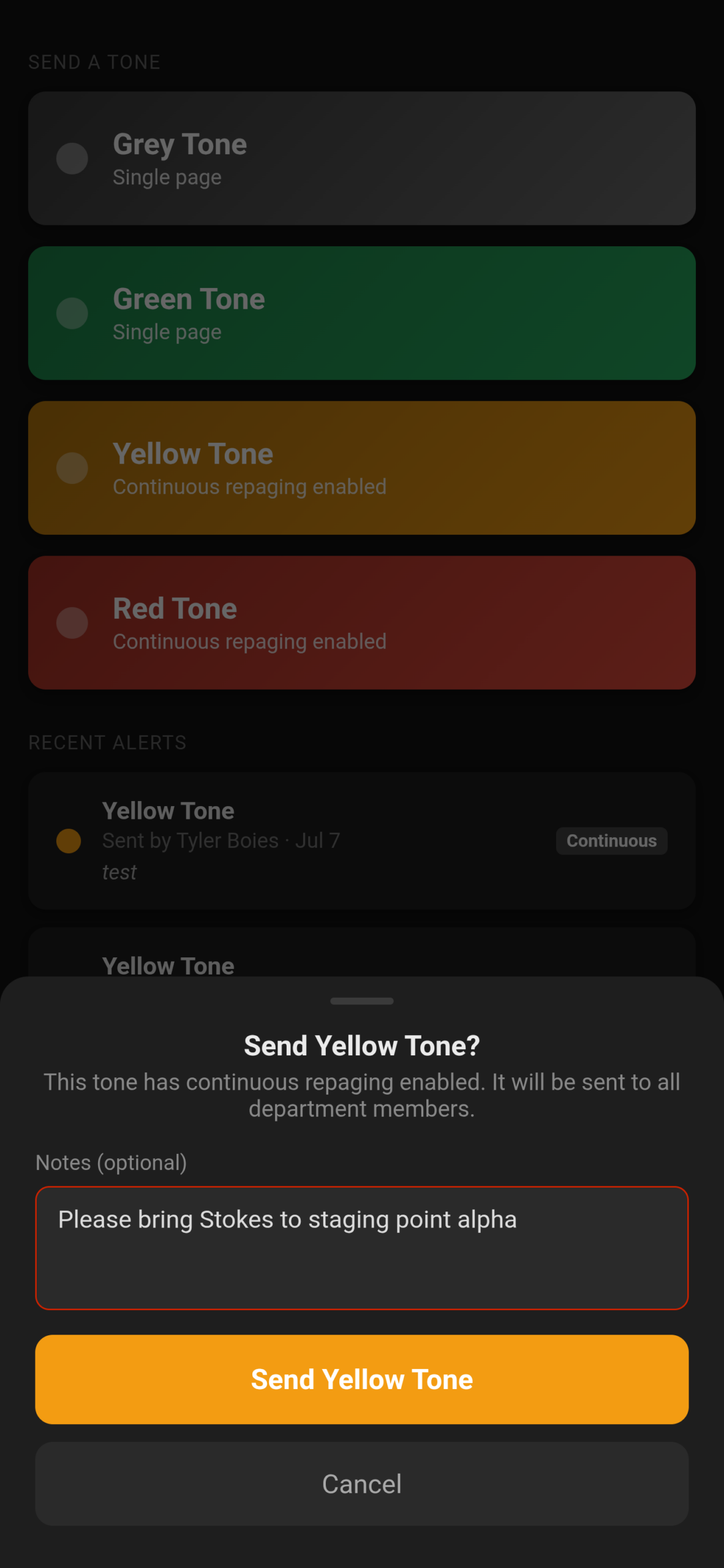
Emergency Policies also covers tools you need mid-shift, not only back at the desk. CPR in Progress starts a metronome and timer for active CPR cycles and phases, then logs sessions so members can review CPR Logs later. Call Tones let authorized users send department call tones with push/alarm delivery and acknowledgment-style alerting; chiefs configure permissions and continuous repaging from the portal. Pump Chart puts department pump reference charts on every phone so operators are not hunting for a laminated sheet in a binder. These field tools are designed for the app first—where seconds matter—while logs, charts, and tone settings remain manageable from the portal as well.
Inspections, PPE, and rig checks
Standardize the paperwork that used to live on clipboards. Commercial Occupancy Inspections, PPE Inspections, and Rig Checks each have form libraries and completed-history views. Members open a form, complete it in the field, and submit in the app (just like how training is done); the department keeps a searchable record of every completed inspection. Leadership can manage forms and review submissions from the app or portal. The result is consistent documentation for occupancy walks, gear checks, and apparatus readiness—without lost paper forms or unclear “who checked what.”
Personnel, responsibilities, and department setup
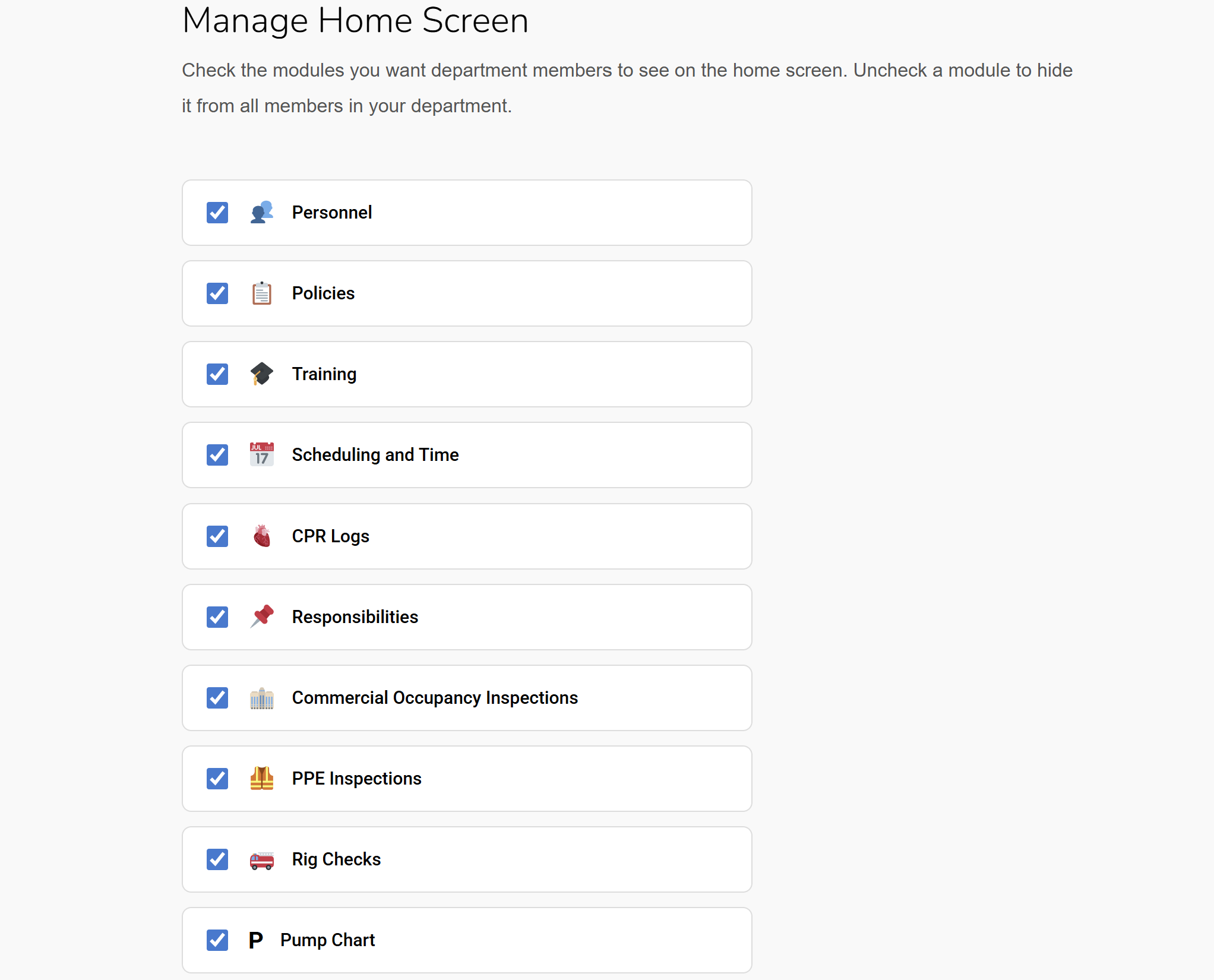
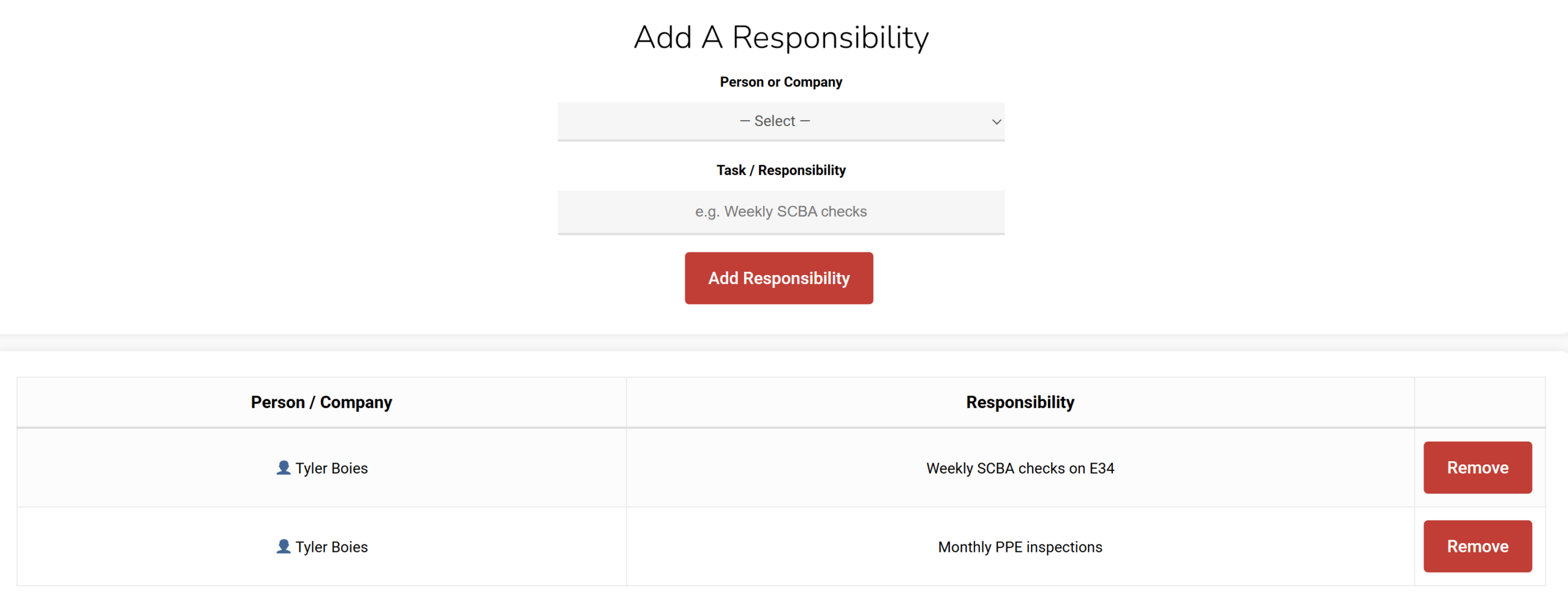
Admins manage the roster: name, rank, company, capabilities, and invites. New members can be added and onboarded with a QR invite so they join the correct department without IT friction. Responsibilities show who owns which standing tasks so duty assignments are visible to line and admin alike. Chiefs can show or hide modules on the department home screen, add custom homepage links, and tune which features the agency actually uses—policies, training, scheduling, inspections, call tones, pump chart, and more. Rank-aware access (Chief, Captain, Lieutenant, Line Personnel) keeps admin tools with leadership and day-to-day tools with the crew.
App and portal, together
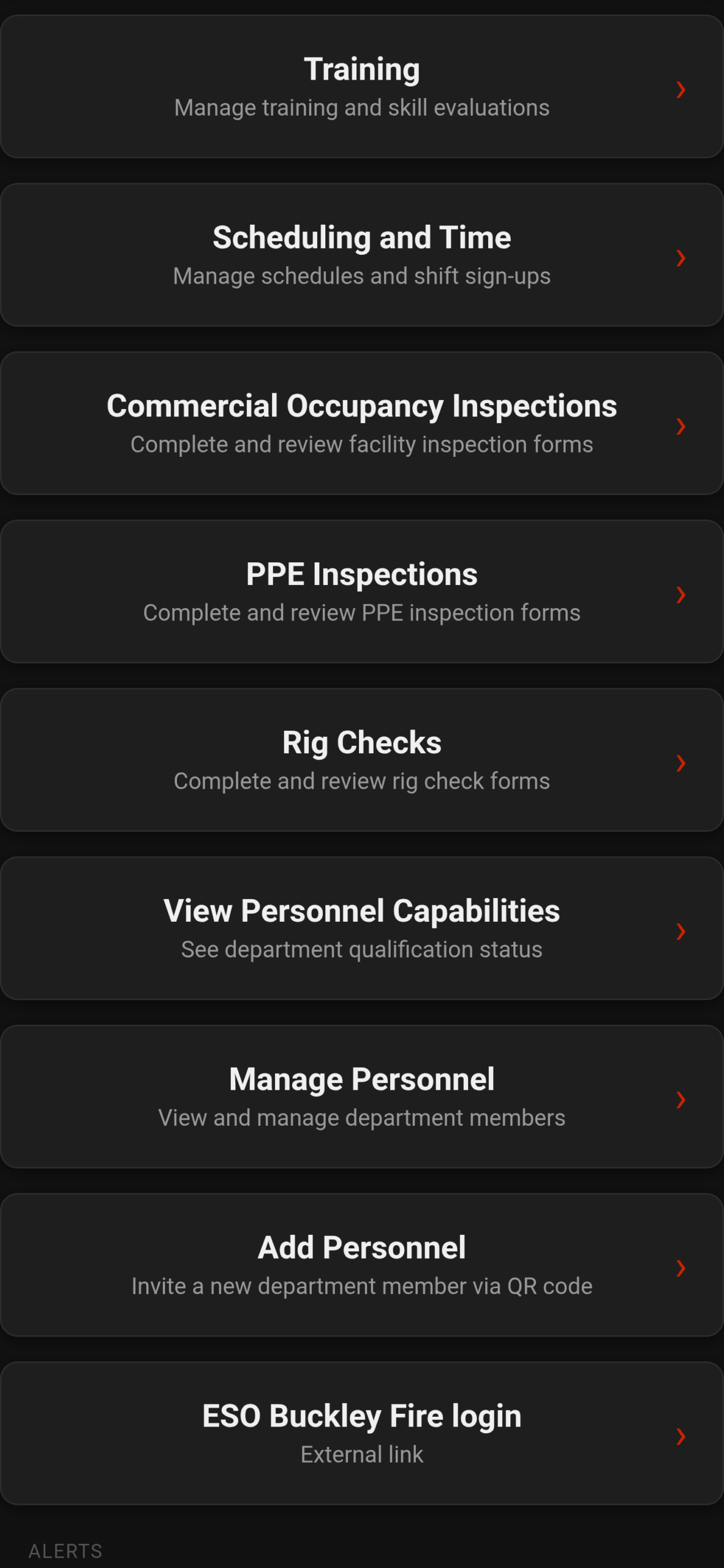
The iOS/Android app is built for the floor and the field: policies to acknowledge, training and evaluations (including QR evaluate), calendars and time tracking, CPR and call tones, pump charts, inspections, capabilities, alerts, and the ability to link other online department services for a seamless portal experience. Offline-friendly caching and session handling help when connectivity is poor. The online portal at emergencypolicies.com is the command desk for the same data: create and revise policies, manage personnel and assignments, run training hubs, configure shifts and call tones, edit pump charts, review logs and completed forms, and control which modules appear for the department. Everything is agency-scoped and cloud-synced so phone and portal stay aligned.
Like some of our features but not others? Primary chiefs can choose to hide features so all other personnel will not see them. Either way, our system is affordable enough to make it worthwhile.